
Explain a failure
Outcome
You understand what a resource does, why a run may have failed, and which downstream nodes are in the blast radius.
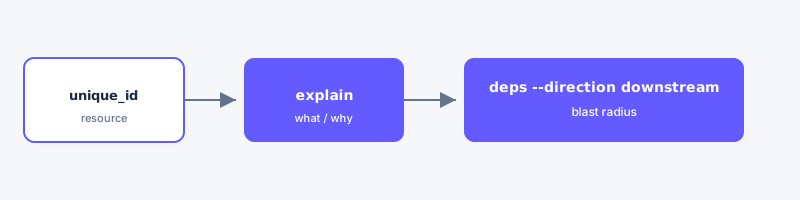
Resolve the id with discover first when you only have a partial name (find-a-model stays in Steps).
When to use this
| Surface | Use when |
|---|---|
| CLI | One-shot investigation from shell or CI; pipe --json to other tools |
| MCP | An agent needs several follow-up queries on the same node |
| Web | You want lineage and execution context visually after resolving the node |
Steps
- Resolve the resource with Find a model if you only have a partial name. For a failed run, start from
failuresorquery-executions --status error,fail. - Run
explainwith the fullunique_id. - Run
impactfor counts and notable dependents, thendeps --direction downstreamfor the full blast-radius list. - Optionally ask your agent to use
dbt-tools-cli:describe-resourceanddbt-tools-cli:trace-dependencies(downstream).
Example
bash
dbt-tools failures --dbt-target ./target --json
dbt-tools discover --dbt-target ./target "fct_orders" --json
dbt-tools explain model.my_project.fct_orders --dbt-target ./target --json
dbt-tools impact model.my_project.fct_orders --dbt-target ./target --json
dbt-tools deps model.my_project.fct_orders --dbt-target ./target --direction downstream --json
Replace model.my_project.fct_orders with the unique_id from failures or discover output.
Next
- Investigate slow runs
- Investigation tour
- CLI README — explain, impact, and deps options